
Cockpit
Dual screen.Your cockpit.
Speed in large, what the drive in progress has done, and what the road is about to bring. It is the one iCar screen that works without a connected car.
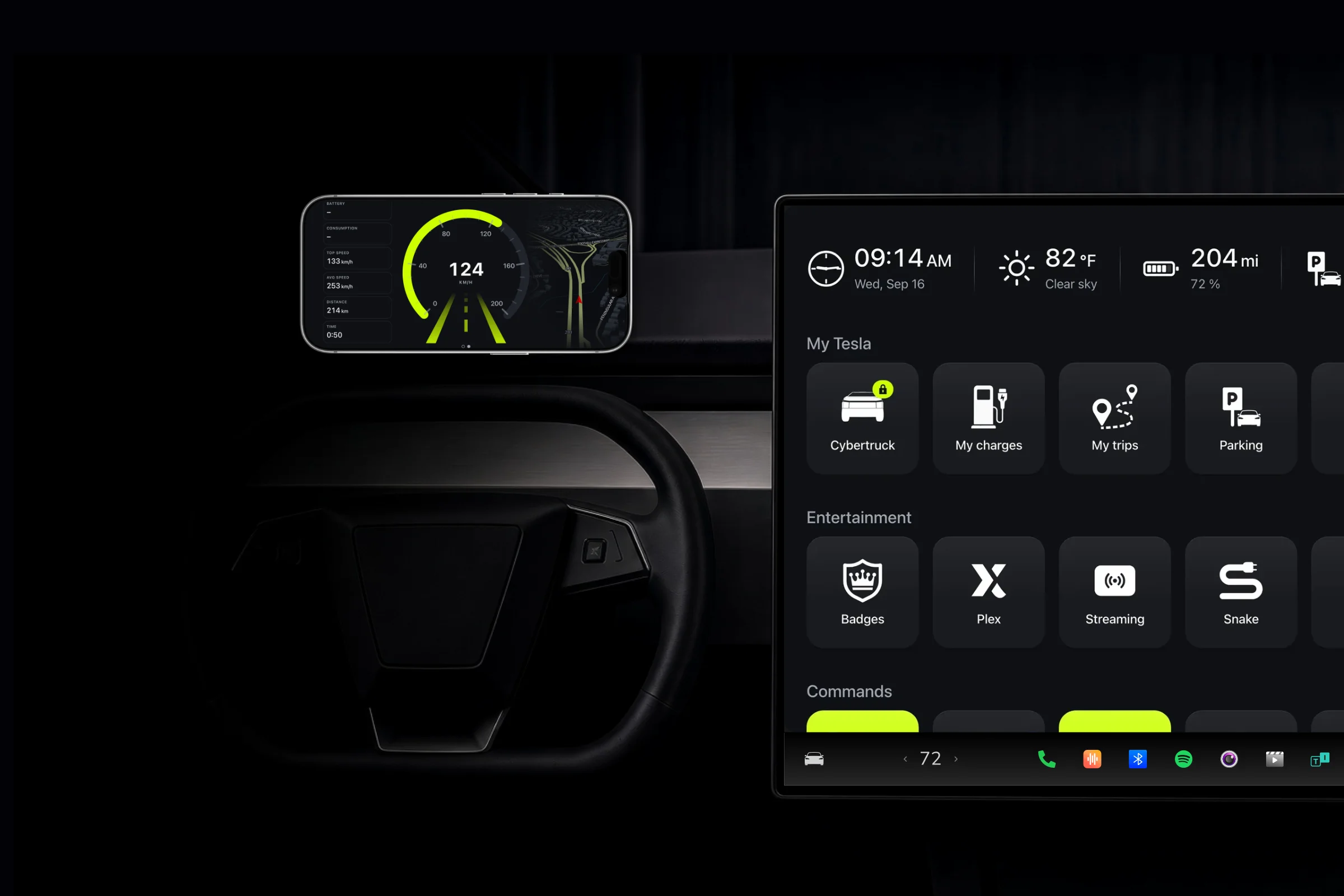
Speed, big.Read at a glance.
Measured by the screen's GPS, in any car.
The dial takes the full height of the screen and reads at a glance. Light and dark are chosen here and for this screen only: your dashboard keeps its own.
Speed comes from the screen's GPS, never from the car. That is what lets the Cockpit serve on a phone set sideways on the dashboard, in a Tesla as much as in a car that is not one.
The drive in four numbers.No reset button.
Distance, time moving, average and top speed.
Distance covered, time driven, average speed and top speed. The four figures follow the drive rather than the session: you arrive, they stay on screen; you set off again, they start over from zero. There is no reset button to hunt for.
Time driven counts only the minutes the car was actually moving. A red light or a coffee stop stays out of it, so the average remains the one you held on the road.
What's ahead on the road.Announced as you approach.
Speed cameras, roadworks, crashes and landmarks.
Speed cameras, roadworks, accidents and landmarks are announced as you approach, with their road sign and the distance left. It is the same engine as the map: what you set on one side holds on the other, alert sound included.
Speed cameras, traffic, reports and landmarks are announced on any account, like the dial and the counters. Battery level and consumption join them the moment a Tesla is connected.
Keep reading
Try it. Free.
Free forever, no ads. The subscription starts with a 14-day free trial, cancel in one click.
- No ads
- No card for the free plan
- Cancel anytime